Lock your browser
with a fingerprint
Protect your browser profile with Touch ID, Windows Hello, or a secure PIN. No one sees your history, bookmarks, or passwords without your permission.
Everything you need to
secure your browser
TouchLock guards your entire browser profile — history, bookmarks, passwords, and more.
Biometric Unlock
Unlock with Touch ID on Mac or Windows Hello on PC. Auto-triggers when the lock screen loads.
Flexible PIN
4–10 digit PIN with strength indicator, SHA-256 hashed with random salt. Always available as a fallback.
Profile-Level Lock
Blocks access to history, downloads, bookmarks — your entire profile is protected until authenticated.
Auto-Lock on Startup
Every browser launch requires authentication. No manual action needed — it just works.
Tab Guards
Prevents switching tabs, opening new tabs, or closing the lock tab. No way to bypass the lock screen.
PIN Recovery
Forgot your PIN? Answer 2 of 3 security questions to reset. Your data stays safe.
Simple to set up,
impossible to bypass
Get protected in under a minute. Three steps, that's it.
Install the extension
Add TouchLock from the Chrome Web Store, Edge Add-ons, Firefox Add-ons, or load it manually in developer mode.
Set your PIN & security questions
Choose a 4–10 digit PIN and answer 3 security questions for recovery. Optionally register biometrics.
You're protected
Your browser locks automatically on every startup. Unlock with your fingerprint or PIN.
See it in action
A quick look at TouchLock's key screens and features.
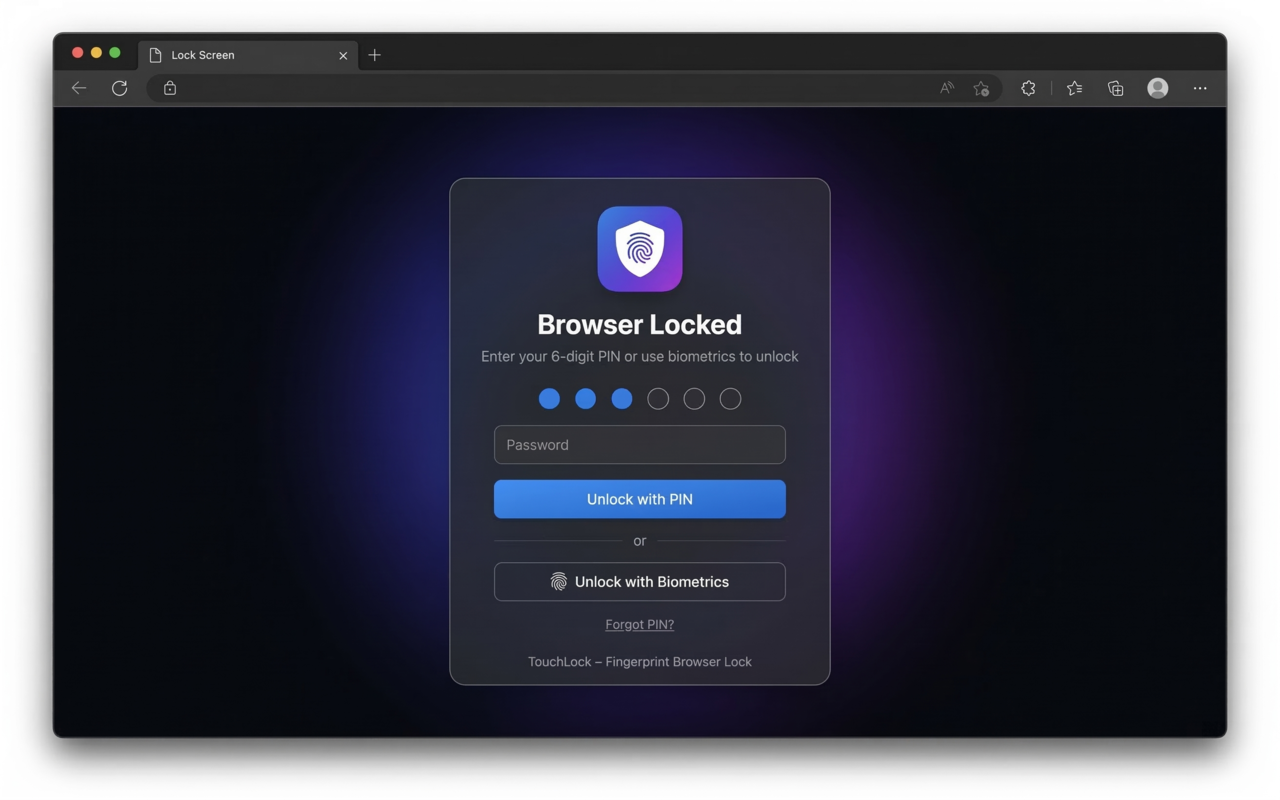
Lock Screen — PIN entry with biometric option
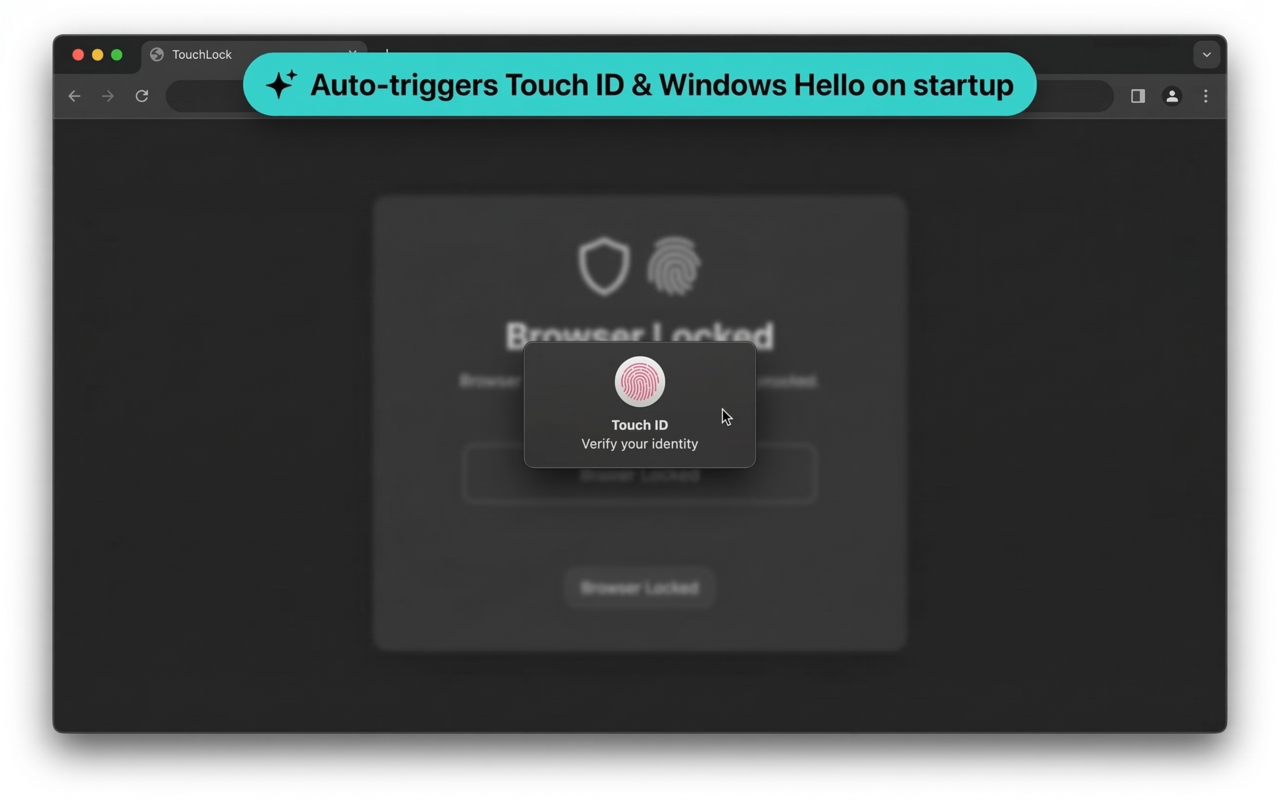
Auto-triggers Touch ID & Windows Hello on startup
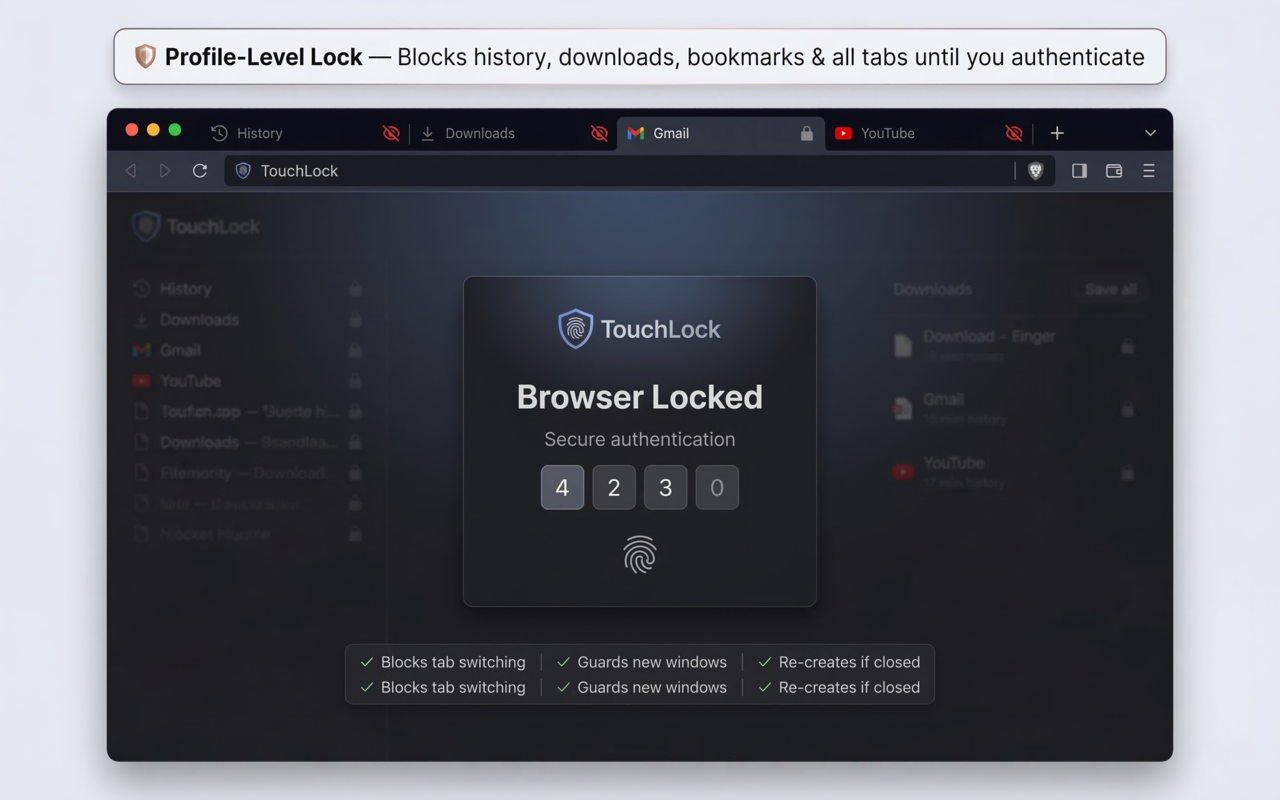
Profile-Level Lock — blocks history, downloads & all tabs
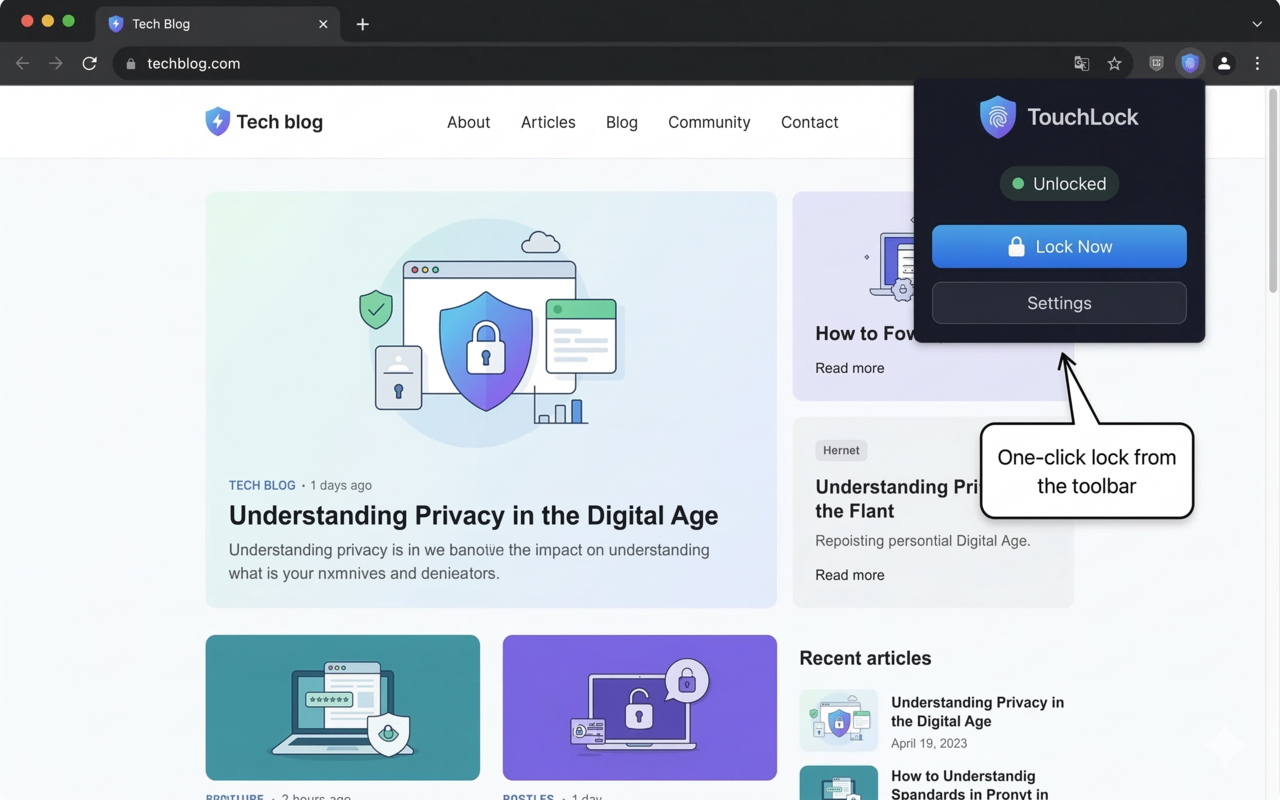
One-click lock from the toolbar popup
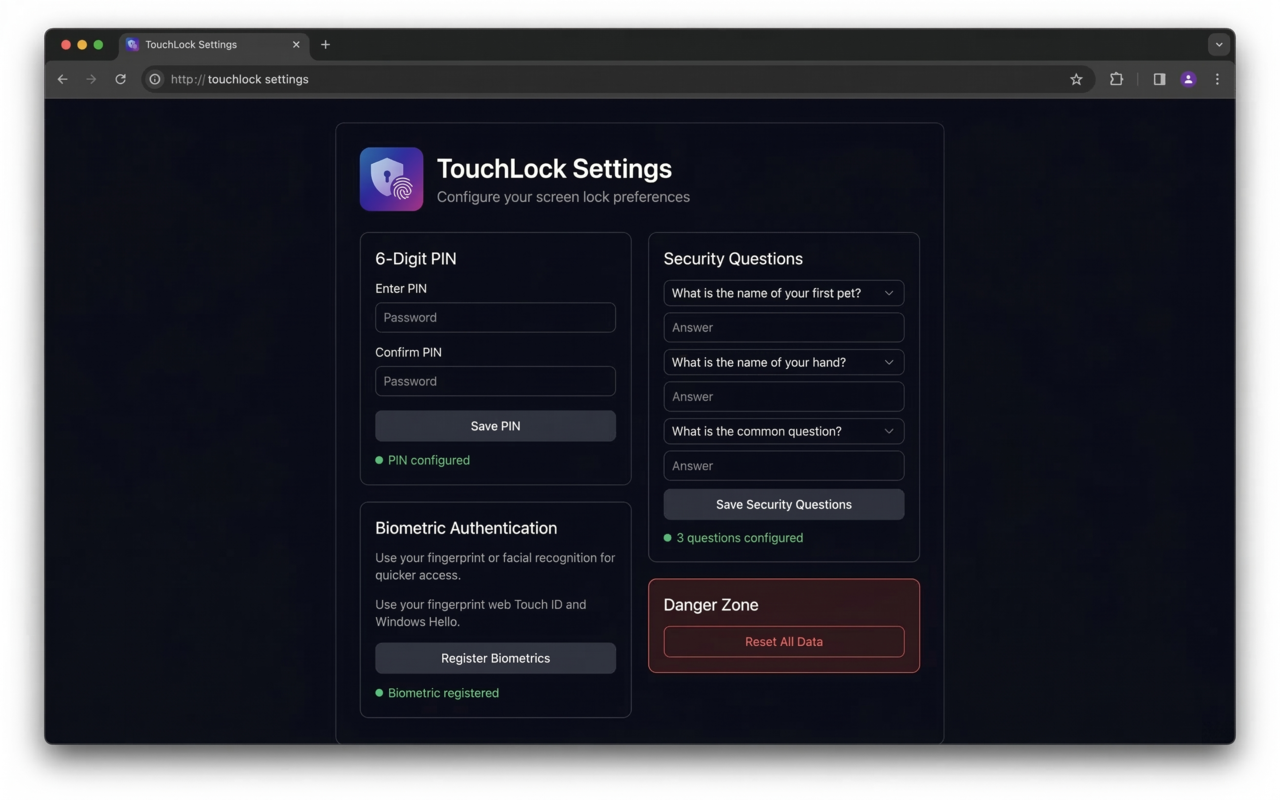
Settings — PIN, security questions & biometric setup
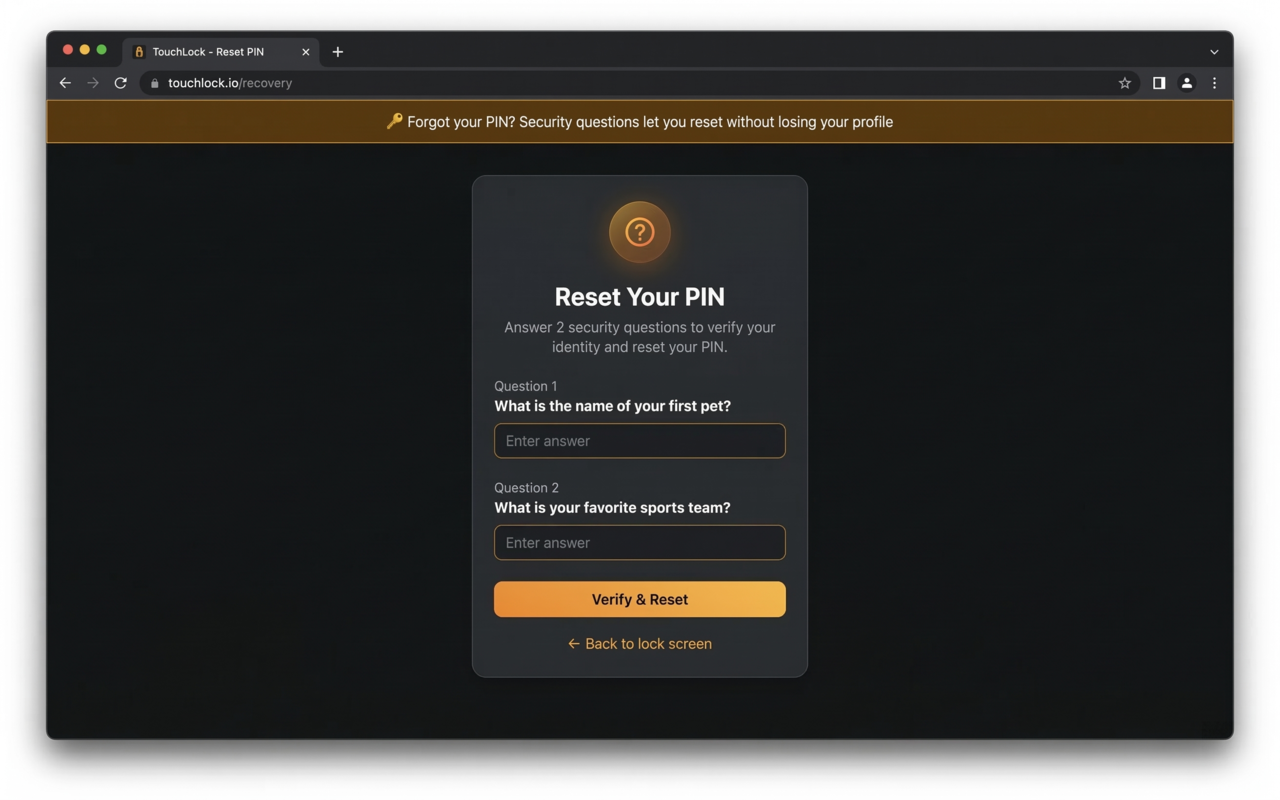
PIN Recovery — reset with security questions
What's new in v1.3.0
A completely redesigned settings experience with smarter onboarding.
Flexible PIN Length User Requested
Choose a 4–10 digit PIN with a live strength indicator showing Weak, Fair, Good, or Strong as you type.
Keyboard Shortcut User Requested
Instantly lock the browser with Alt+L (customizable). Reserved browser shortcuts are blocked with clear warnings.
Firefox Auto-Shortcut Sync
On Firefox, custom shortcuts are automatically applied at the browser level — no manual step needed.
Get TouchLock
Available on Chrome Web Store, Edge Add-ons, Firefox Add-ons, and other Chromium browsers. Choose your preferred method.
Manual Installation Steps
Download the ZIP file above and extract it to a folder
Open your browser and go to the extensions page — edge://extensions, chrome://extensions, or brave://extensions
Enable Developer mode (toggle in the top-right corner)
Click Load unpacked and select the extracted folder
TouchLock will open Settings automatically — set your PIN and you're done!
Works with your browser
Chromium 110+ (Manifest V3) & Firefox 109+ (Manifest V2)
What's coming next
We're building more ways to keep your browser safe. Here's the roadmap.
Lock Screen Clock
See the time and date on your lock screen, just like your phone.
Panic Button
A floating button on web pages that locks the browser with a single click.
Export / Import
Backup and restore all your settings, questions, and preferences.
Lock History Log
See when your browser was locked and unlocked with timestamps.
Lock on Specific Sites
Auto-lock when navigating to sensitive sites like banking or email.
Intruder Detection
Capture a photo after wrong PIN attempts and log the timestamp.
Stealth Mode
Hide the extension icon — only accessible via your keyboard shortcut.
Scheduled Lock
Auto-lock at specific times — perfect for parental controls or discipline.
Multiple Profiles
Different PINs for different people with different access levels.
Unlock Notifications
Get notified when someone unlocks the browser.
Break Timer / Focus Mode
Lock the browser for X minutes. Can't unlock until time expires.
Bluetooth Auto-Lock
Lock when your phone or watch goes out of Bluetooth range.